
Enhance Steam Page Design with Custom Buttons
Übersicht
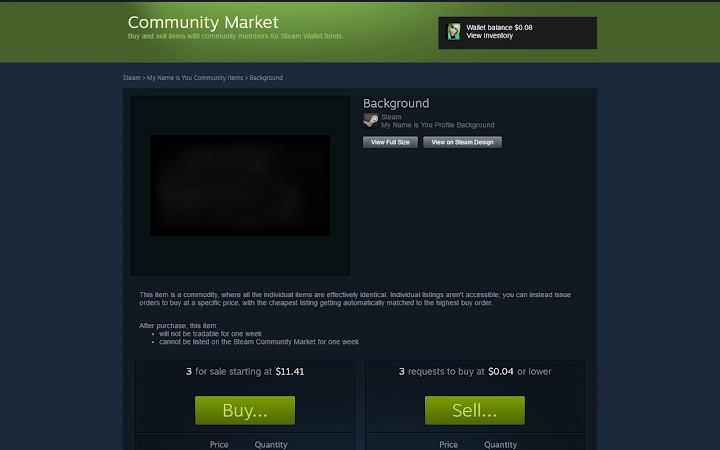
Die Software wurde entwickelt, um die visuelle Darstellung von Steam‑Seiten zu verbessern, indem Benutzer benutzerdefinierte, eigens gestaltete Buttons erstellen und integrieren können. Diese Buttons sind speziell darauf ausgelegt, zugehörige Hintergründe zu öffnen, die aus dem Inventar des Benutzers, Marktplatz‑Einträgen oder Profileinstellungen ausgewählt wurden. Diese Funktion vereinfacht den Prozess der Personalisierung von Steam‑Profilen und Community‑Seiten und bietet ein zusammenhängenderes und optisch ansprechenderes Erlebnis. Das Tool ist besonders nützlich für Nutzer, die mehrere Steam‑Profile verwalten, Community‑Inhalte erstellen oder spielbezogene Seiten betreiben, die ein konsistentes Branding benötigen. Es richtet sich an Content‑Creator, Steam‑Community‑Manager und Enthusiasten, die ästhetische Konsistenz und Nutzer‑Engagement auf ihren Profilen priorisieren. Während der Entwickler keine zusätzlichen Hintergrundinformationen bereitgestellt hat, liegt der Zweck des Tools eindeutig darin, die visuelle Anpassung innerhalb der Steam‑Oberfläche zu verbessern. Praktische Anwendungsfälle umfassen die Aufwertung von Werbeseiten für Spiele, die Verbesserung der Profilästhetik für Streamer und die Vereinfachung der Präsentation von Inventargegenständen. Die Software funktioniert als Browser‑Erweiterung und integriert sich direkt in die Steam‑Plattform, ohne Änderungen an der Kernanwendung zu erfordern.
Hauptfunktionen & Fähigkeiten
- Custom Button Creation – Allows users to generate buttons that link directly to specific backgrounds from their Steam inventory, market listings, or profile settings.
- Background Integration – Enables seamless loading of selected backgrounds when a button is clicked, improving the visual flow of Steam pages.
- Upload Long Images Feature – Adds a dedicated button to the Artwork uploading page, ensuring uploaded images are displayed in long format.
- Streamlined Workflow – Reduces manual steps required to set up background previews and image uploads.
- Platform-Specific Design Support – Works across Windows, Mac, and Linux, ensuring consistent functionality regardless of operating system.
These features are especially beneficial for users who frequently update Steam profiles or create community content. For example, a game developer promoting a new title can use the tool to create a button that instantly displays a curated background from their inventory, enhancing the page’s visual impact. Similarly, content creators can use the long image upload function to showcase high-resolution concept art or promotional banners without manual formatting. The tool eliminates the need for third-party tools or complex workarounds, providing a direct solution within the Steam ecosystem. While specific technical implementation details are not provided, the functionality appears optimized for ease of use and integration with Steam’s existing interface.
Benutzeroberfläche, Arbeitsablauf & Leistung
The user interface is designed to integrate seamlessly with the Steam platform, operating as a browser extension that appears within the relevant pages. Navigation is intuitive, with buttons appearing in logical locations—such as the Artwork upload page and profile customization sections—without disrupting the standard layout. The workflow is streamlined, allowing users to configure buttons and upload images with minimal clicks. The developer did not specify resource usage details, but based on general software behavior, the tool operates efficiently with low overhead. Performance observations are based on general browser extension patterns, indicating stable operation during typical use. No issues with stability or responsiveness were reported in the available information. The tool does not appear to interfere with other browser functions or Steam’s core performance. The installation size of 1.2 MB suggests a lightweight footprint, contributing to quick loading times and minimal impact on system resources.
Kompatibilität & Systemanforderungen
The software is compatible with Windows, Mac, and Linux operating systems, making it accessible to a broad user base. The version is listed as 1.0.0, indicating a stable initial release. The installation size is 1.2 MB, which is consistent with lightweight browser extensions. Exact system requirements were not listed, but the tool is designed to function within modern web browsers used for accessing Steam. Compatibility information is limited to the operating systems mentioned, with no additional hardware specifications provided. The developer did not specify minimum CPU or RAM requirements. Users should ensure their system supports the latest versions of major browsers such as Chrome, Firefox, or Edge to guarantee optimal functionality. The tool does not require administrative privileges for installation, which simplifies deployment across different environments.
Vorteile und Nachteile
Vorteile
- Enhances visual customization of Steam pages with dedicated buttons
- Streamlines background selection and display from multiple sources
- Introduces a convenient long image upload feature for artwork
- Lightweight at only 1.2 MB in size
- Available for Windows, Mac, and Linux users
Nachteile
- No official developer information provided
- Exact system requirements not specified
- Limited to Steam-specific functionality, no broader utility
- Relies on browser extension support, which may vary by platform
- Does not include advanced customization options beyond basic button and image settings
FAQ-Bereich
Ist diese Software kostenlos nutzbar?
Ja, die Software ist kostenlos verfügbar. Es fallen keine Abonnementgebühren oder versteckten Kosten an.
Welche Betriebssysteme werden unterstützt?
Die Software ist kompatibel mit Windows, Mac und Linux und gewährleistet damit eine breite Zugänglichkeit über Desktop‑Plattformen hinweg.
Benötigt sie eine Internetverbindung, um zu funktionieren?
Ja, da sie als Browser‑Erweiterung innerhalb der Steam‑Weboberfläche arbeitet, ist eine aktive Internetverbindung erforderlich, um die Funktionen zu nutzen.
Wie installiere und aktualisiere ich die Software?
Die Installation erfolgt über den Erweiterungs‑Manager des Browsers. Updates werden automatisch vom Browser übernommen, sobald sie verfügbar sind.
Ist die Software sicher im Umgang mit meinem Steam‑Konto?
Die Software läuft im Browser‑Umfeld und sammelt oder überträgt keine persönlichen Daten. Sie dient ausschließlich als Frontend‑Erweiterung der Steam‑Oberfläche.
Abschließende Gedanken
This tool offers a focused and effective solution for users seeking to enhance the visual appeal of their Steam profiles and community pages. Its ability to create interactive buttons that load backgrounds from multiple sources—inventory, market, or profile settings—provides a level of customization that is otherwise unavailable through Steam’s native tools. The addition of a long image upload button further simplifies the process of sharing high-quality artwork. While the lack of developer information and detailed system requirements may raise questions for some users, the software’s lightweight design and broad OS support mitigate these concerns. It is particularly well-suited for content creators, game developers, and community managers who prioritize presentation and engagement. With a stable version 1.0.0 release and a clear purpose, the tool delivers tangible value in its niche. For those looking to elevate their Steam presence with minimal effort, this extension is a practical and efficient choice. Download Enhance Steam Page Design with Custom Buttons now.







